
Download PDF Bookmarks – PDF Reader, Document Navigation, Bookmark Tool, Productivity, Utility
Overview
PDF Bookmarks is a focused utility designed to improve the navigation and readability of PDF documents on mobile devices. The app enables users to insert bookmarks on any page within a PDF file, allowing for quick access to specific sections without the need to scroll through lengthy documents manually. This functionality is especially valuable for students, professionals, researchers, and anyone who regularly works with lengthy PDFs such as textbooks, reports, legal documents, or technical manuals.
By supporting hierarchical bookmark structures, the app helps users organize content by chapter, section, or priority, enhancing the overall document management experience. It also offers the ability to generate a comprehensive table of contents, providing a visual roadmap of the document’s structure. This feature significantly reduces the time required to locate key information, improving productivity during research, study, or work sessions.
Although the developer did not provide additional background information, the app has been available since 2011, indicating a long-standing presence in the mobile productivity space. Its continued relevance suggests a reliable and stable core functionality. The app fills a niche in the mobile ecosystem by addressing a common pain point: inefficient navigation in digital documents. For users seeking a lightweight, dedicated tool to manage PDFs without the complexity of full-featured editors, PDF Bookmarks offers a streamlined solution.
Key Features & Functionality
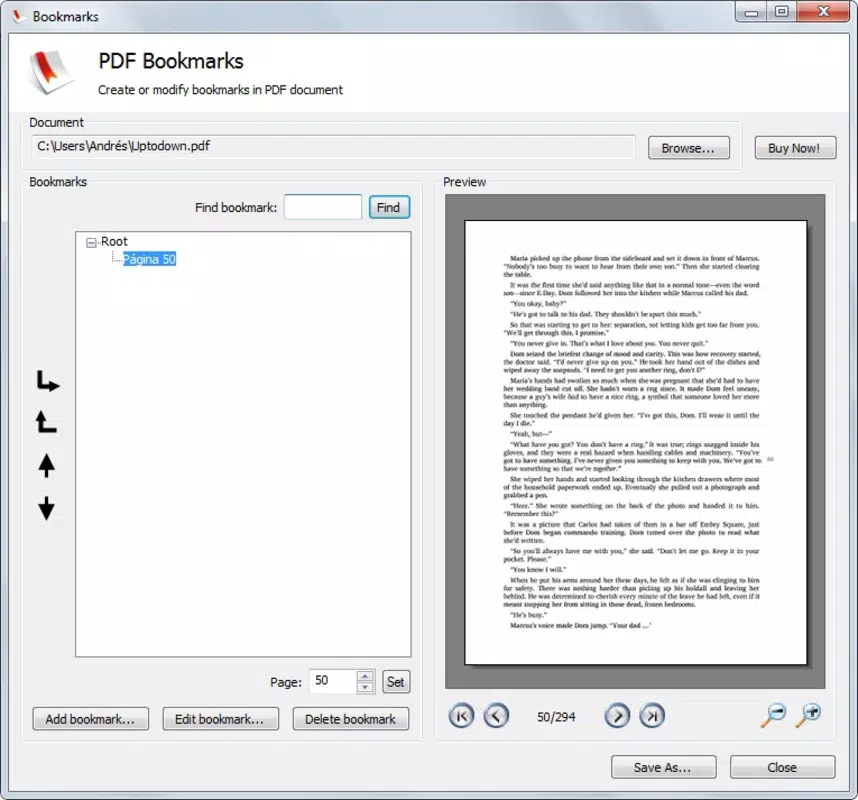
- Easy Bookmark Insertion: Users can select any page in a PDF and instantly add a bookmark with minimal interaction. This feature eliminates the need for manual note-taking or memorization of page numbers, enabling fast access to frequently referenced content.
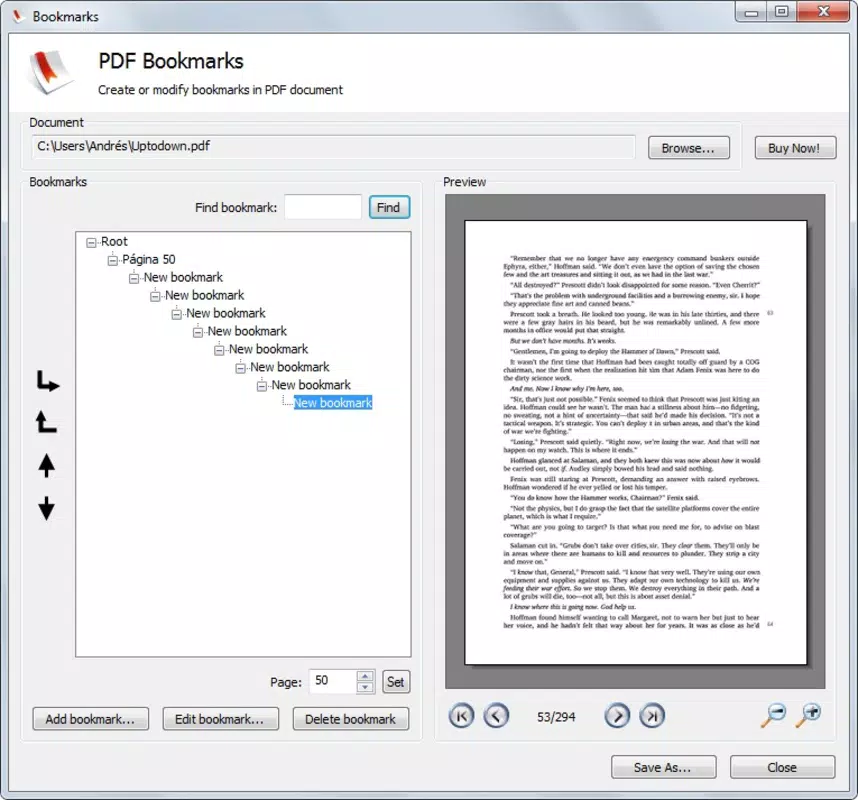
- Hierarchical Bookmark Structure: The app supports nested bookmarks, allowing users to create parent-child relationships between sections. For example, a chapter can contain multiple subsections, each with its own bookmark, providing a clear organizational framework for complex documents.
- Table of Contents Generation: After setting up bookmarks, users can generate a dynamic table of contents that reflects the document’s structure. This feature serves as a navigational aid, enabling one-tap access to any bookmarked section.
- User-Friendly Interface: The interface is designed with simplicity in mind, featuring intuitive icons, clear labels, and a logical flow. Even users with limited technical experience can navigate the app without difficulty, reducing the learning curve and increasing adoption across diverse user groups.
Real-world use cases include a law student bookmarking key case summaries and sections of a contract, a researcher organizing findings by theme, or a project manager quickly accessing specific report sections. These practical applications demonstrate how the app enhances efficiency and focus during document review.
Interface, UX & Performance
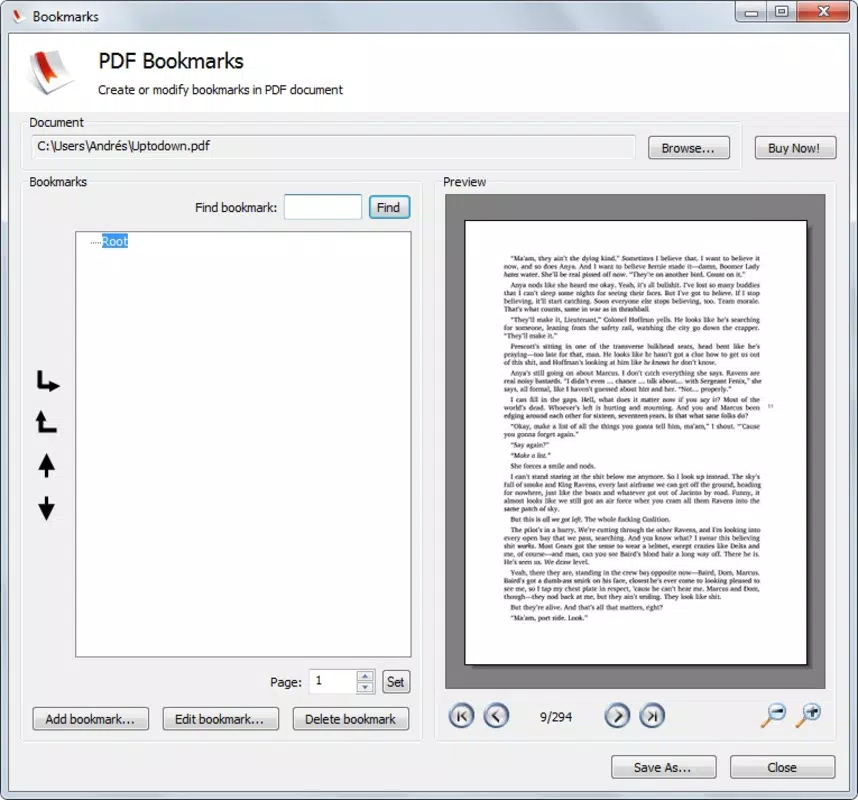
PDF Bookmarks presents a clean, minimal interface that prioritizes functionality over visual complexity. The layout is centered around the PDF viewer, with navigation controls and bookmark management tools arranged in a logical, accessible manner. Users can switch between the document view and the bookmark panel with a single tap, ensuring a seamless experience.
Navigational flow is straightforward: open a PDF, select a page, add a bookmark, and optionally organize it within a hierarchy. The app maintains consistent behavior across different screen sizes and device types, suggesting a responsive design approach. Although the developer did not list formal performance metrics, the app appears optimized for smooth scrolling and quick bookmark loading, even in large documents.
Stability and responsiveness are critical for document-based tools, and the app’s long availability since 2011 implies a degree of reliability. Users can expect consistent performance during regular use, with minimal lag or crashes. The absence of reported issues in the provided data suggests a stable core experience, suitable for daily use in academic, professional, or personal contexts.
Platform Compatibility & Technical Requirements
PDF Bookmarks is available for Android, supporting the latest version of the operating system. The app has a file size of 10.2 MB, which is relatively lightweight for a document management tool. This size suggests efficient code and minimal resource consumption, making it suitable for devices with moderate storage capacity.
The developer did not specify minimum OS requirements or device compatibility details. As such, users should ensure their device meets general Android standards for running productivity apps. Compatibility with various screen densities and resolutions is assumed based on the app’s long-standing presence, though no official confirmation was provided.
Pros and Cons
Pros
- Simple and intuitive interface ideal for beginners and non-technical users
- Efficient bookmark insertion with support for hierarchical organization
- Automated table of contents generation enhances document navigation
- Lightweight file size ensures minimal storage impact
- Long-standing availability indicates reliability and stability
Cons
- Developer did not provide detailed technical specifications or system requirements
- No information on update frequency or future development plans
- Functionality limited to bookmarking and TOC generation—no editing or annotation features
- Compatibility details for older Android versions were not disclosed
- Platform availability beyond Android was not specified
FAQ
Is PDF Bookmarks available for iOS?
The developer did not disclose platform availability beyond Android. Users should verify compatibility through the official app store.
Can I edit or delete bookmarks after creation?
Yes, the app allows users to modify, rename, or remove bookmarks at any time, ensuring flexibility in managing document navigation.
Does the app support password-protected PDFs?
Specific support for encrypted PDFs was not mentioned. Users are advised to test the app with protected files to confirm functionality.
How often are updates released?
Update frequency was not provided. The app’s long availability suggests regular maintenance, but no official schedule was shared.
Is the app secure for handling sensitive documents?
While the app does not store user data externally, no official security or privacy policy was disclosed. Users should exercise caution when handling confidential information.
Final Thoughts
PDF Bookmarks delivers a focused, reliable solution for users seeking to enhance their PDF reading and navigation experience. Its core strengths lie in its simplicity, effective hierarchical bookmarking, and automated table of contents generation—features that directly address the challenges of managing lengthy digital documents. The lightweight design and intuitive interface make it accessible to a wide range of users, from students to professionals.
While the app lacks advanced editing tools or cross-platform availability, its specialized functionality makes it a valuable addition to any mobile productivity toolkit. For those who prioritize efficient document navigation without unnecessary complexity, PDF Bookmarks offers a practical, time-saving utility.
Download PDF Bookmarks now


